

Project Overview
WhatsApp is already a part of everyday communication, whether we're talking to friends, family, or colleagues. But there’s one simple feature it’s missing — scheduled messages. Sometimes, we know exactly what we want to say and when we want it sent, but we still have to remember to come back and send it ourselves. This can lead to missed messages, late wishes, forgotten reminders, and one more thing to keep track of in an already busy day.
Issue & Fix
Issue :
WhatsApp is already feature-heavy, making a new scheduling feature difficult to discover without adding complexity.
Fix :
Use the familiar long-press interaction to reveal “Schedule Message,” keeping the feature simple and intuitive.
Key Stages
User Findings
2.Precedents: Telegram · Signal · Google Messages


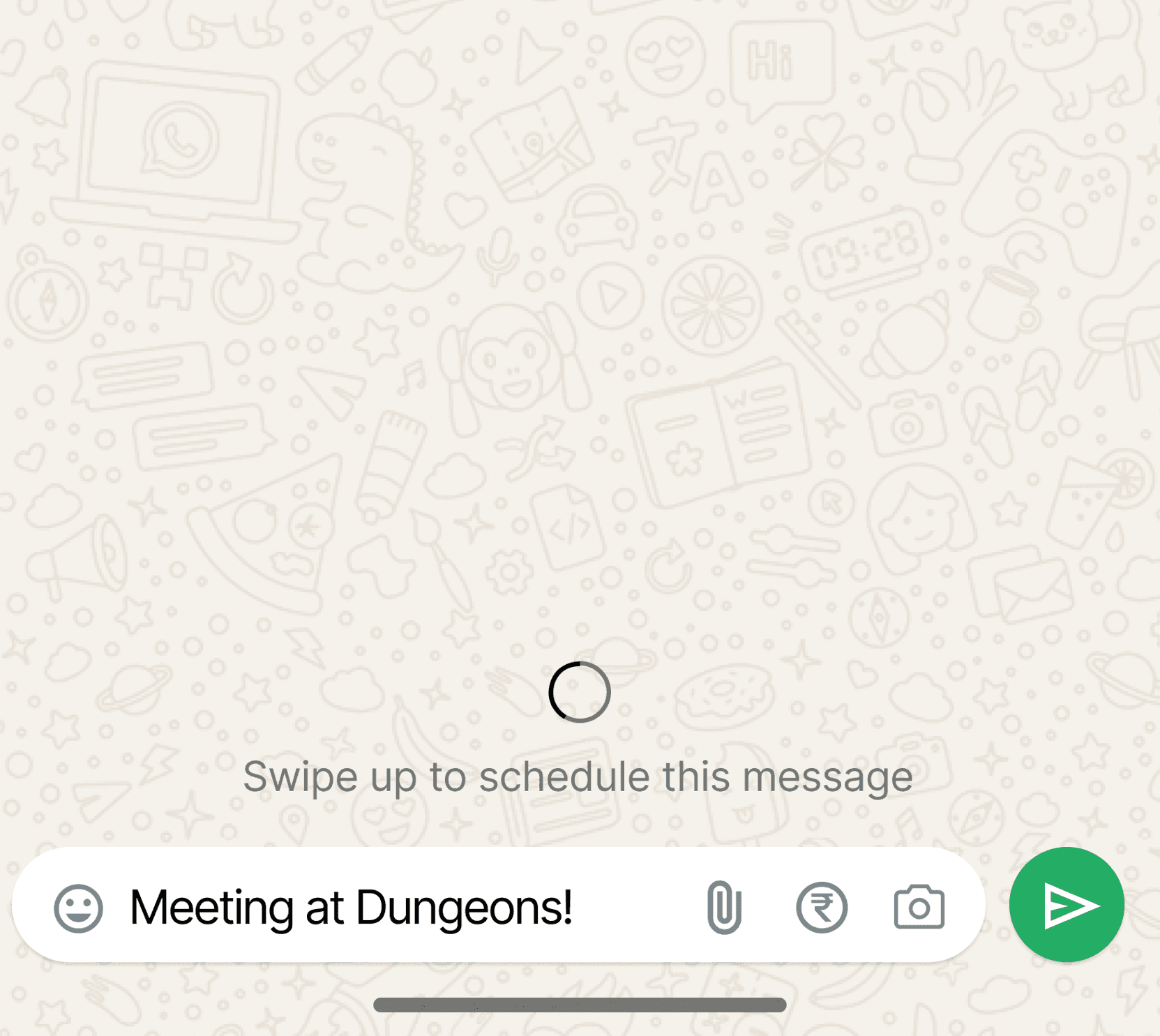
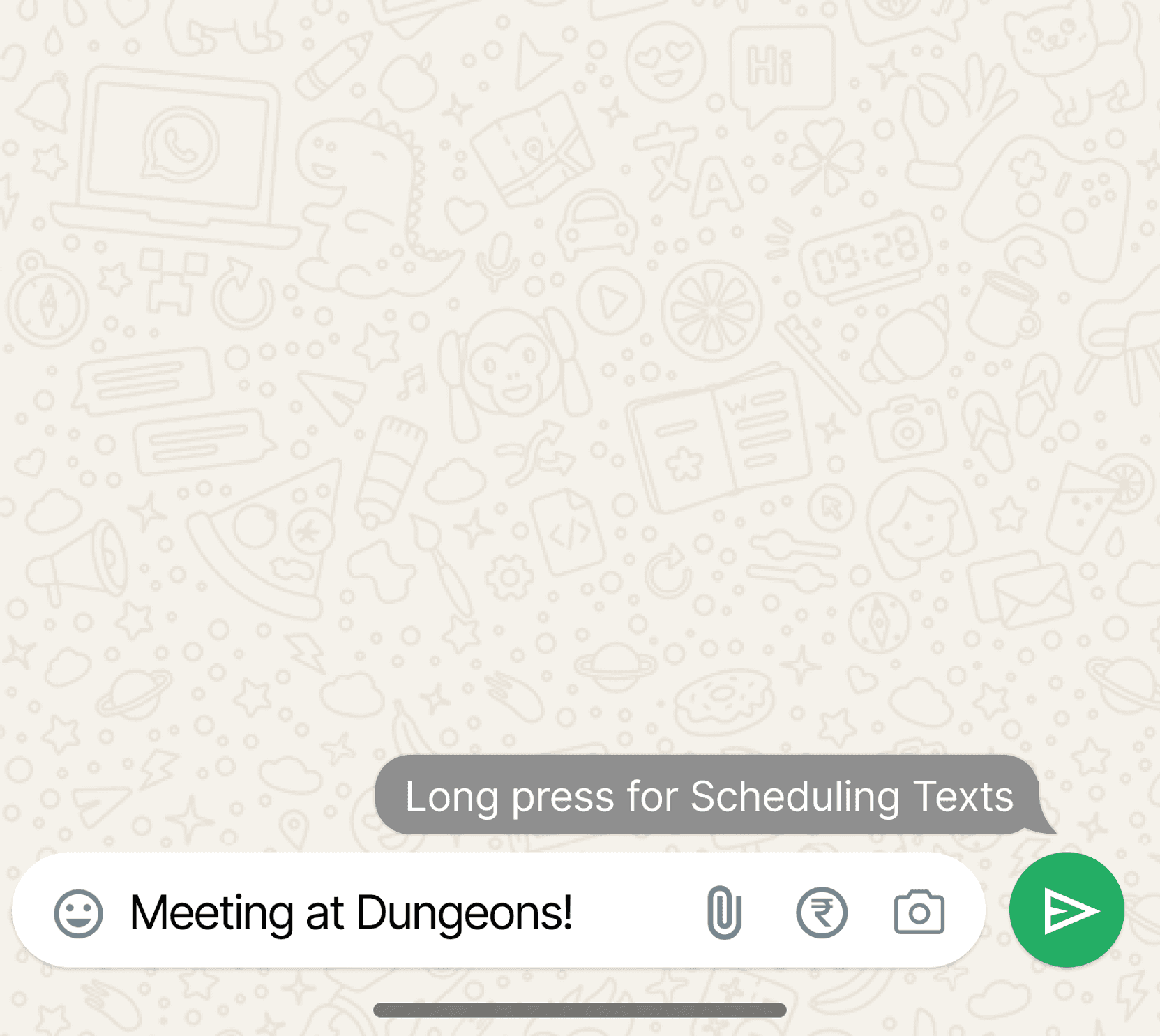
3.Implimentation: Long press on send · Swipe up
Apps like Telegram, Signal, and Google Messages introduced scheduled messaging to help users prepare messages in advance, avoid having to remember to send them at a specific time, and manage communication more flexibly.
A further opportunity is to make scheduling more context-aware by helping users manage time zones, recurring messages, and reminders more seamlessly.
Swipe Up Feature
+ Fast and fluid once learned, with no extra UI clutter.
− Gesture can be easy to miss and may conflict with other interactions
Long Press Feature
+ Familiar and keeps secondary actions hidden until needed.
− Less discoverabls, as users may not know to press and hold.
Final Design
The final experience introduces message scheduling without adding complexity to WhatsApp’s already feature-rich interface.
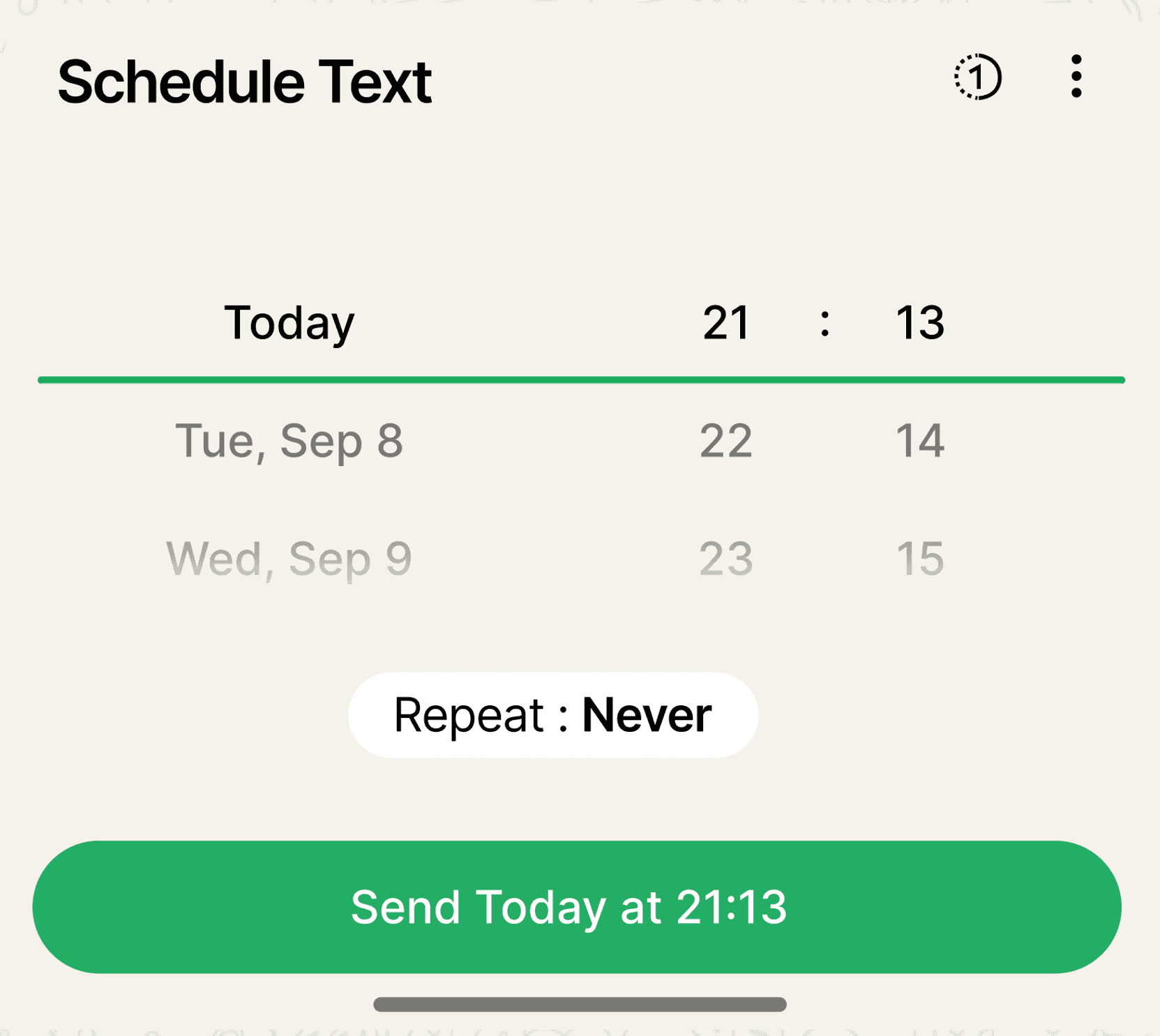
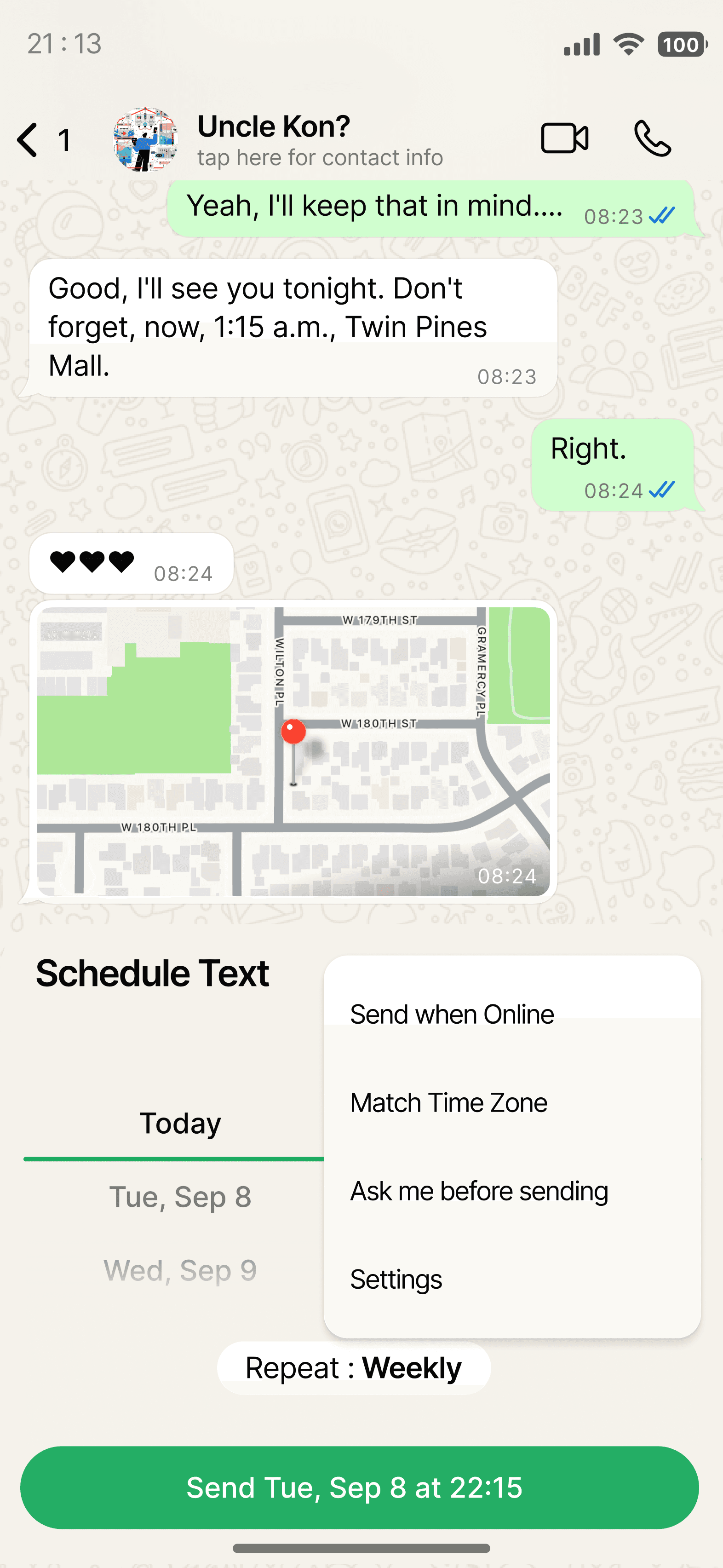
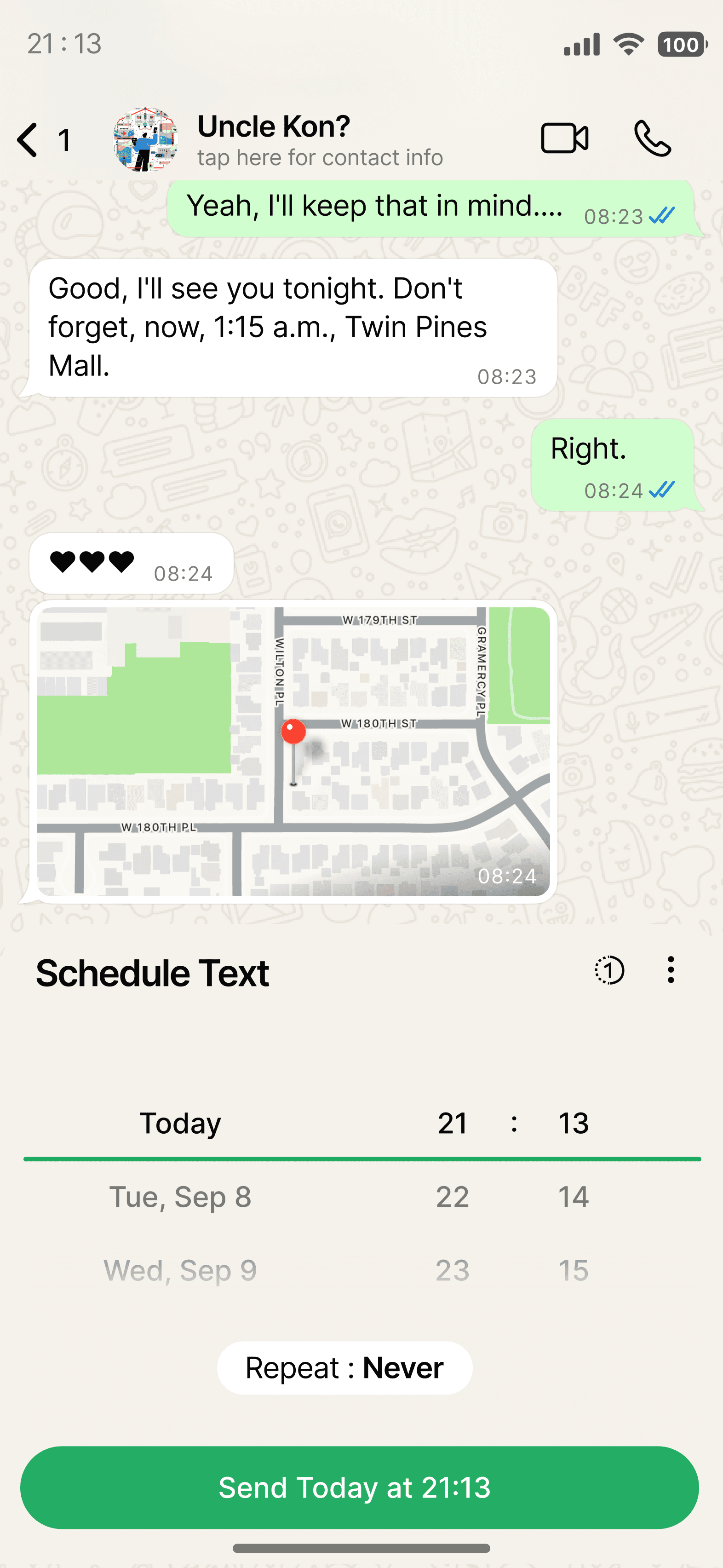
Users can access scheduling naturally from the chat, choose when a message should be sent, review upcoming messages, and easily edit or cancel them.
The experience also considers time zones, reminders, recurring messages, and view once helping users communicate on their own time while reducing the mental effort of remembering to send messages.



Discover
How the user finds the scheduling option without adding another permanent button.
2.Schedule
The date/time selection flow and how you make the process quick and simple.
2.Receive
What the experience looks like for the receiver when the scheduled message arrives,
keeping it feeling like a normal WhatsApp message.
View Once
(existing feature
with Whatsapp
photos)

Learning
Less is more:
Adding a feature doesn't mean adding more UI. Existing interactions can keep the experience clean.
Design for discoverability:
Hidden gestures are efficient, but users still need subtle cues to know they exist.
Think beyond the happy path:
Scheduling introduced edge cases around time zones, recurring messages, editing, and cancellations.
Design for both sides:
A messaging feature affects not only the sender but also the person receiving the message.
Reduce cognitive load:
Good product design can remove small things users have to remember, making everyday tasks feel more effortless.